Read at your own pace
Rehearse your script, adjust the reading view, and control scrolling speed. Pause when you need time to explain or demonstrate something.
 ZaPrompt OnAir
Teleprompter for Mac
Turn your Mac into the operator desk for your next lesson, presentation, or filmed take. Prepare your words, set a comfortable reading pace, and give your presenter a separate screen.
5-day website trial · No card required · No automatic charge
Install, sign in, then choose Start free trial in the app.
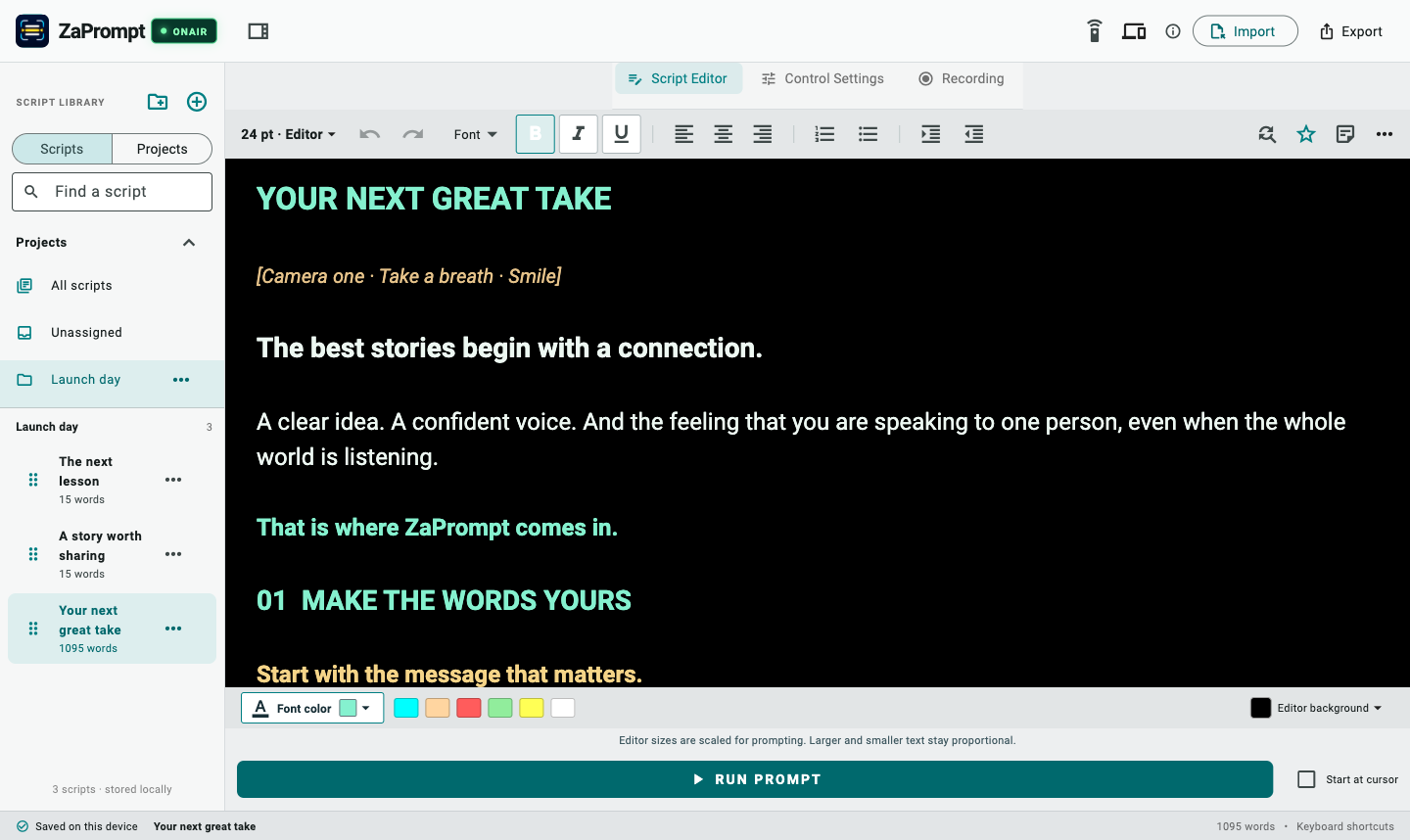
Rehearse your script, adjust the reading view, and control scrolling speed. Pause when you need time to explain or demonstrate something.
Keep controls on your computer and put the words on a connected monitor or a browser-based talent display.
Open the remote in your phone’s browser. Tap to play or pause, swipe to adjust pace or position, and pinch to change text size.
A practical starting point
Draft one lesson at a time. Rehearse a paragraph aloud, shorten long sentences, and set a pace you can comfortably sustain. Position the reading screen close to your camera and record a short test in your chosen camera or recording app.
Start with a tutorial script template, then check the length with the free script timer. The timer is a preparation tool; ZaPrompt OnAir is the installed desktop prompter.
Watch the setup · 1 minute 57 seconds
See how to start a local session, pair a presenter display, and use a phone as a remote. The presenter device and phone remote need only a browser and the same trusted local network.
Read every step and the full transcript →
This walkthrough combines an avatar presenter with app captures and animated control demonstrations. Scrolling is controlled manually; it does not automatically follow your voice.
Installer details and setup help · Resend a verification email
This desktop workflow is for preparing scripts and running the teleprompter and connected displays. Record your presentation separately with your camera or preferred recording software. For integrated camera prompting and recording, explore the iPhone, iPad, and Android apps.
No. The browser talent display and phone remote do not require ZaPrompt OnAir installed on those devices. Keep them on the same trusted local network as the operator computer and follow the live pairing instructions.
The website trial lasts 5 days, requires no payment card, and does not automatically charge you. Sign in and choose Start free trial in the app to begin. After the trial, continued paid access uses a ZaPrompt website subscription.
Desktop and Android use ZaPrompt website accounts and plans. Apple manages subscriptions purchased in the iOS app under App Store terms. Do not assume an Apple purchase activates a website subscription. Compare the platform options.
Yes. Visit the ZaPrompt OnAir for Windows page for that platform’s download and setup information.
Try your own words
Download ZaPrompt OnAir for Mac, activate your trial, and rehearse a script you actually need to deliver.
Need help getting started? Contact ZaPrompt support.